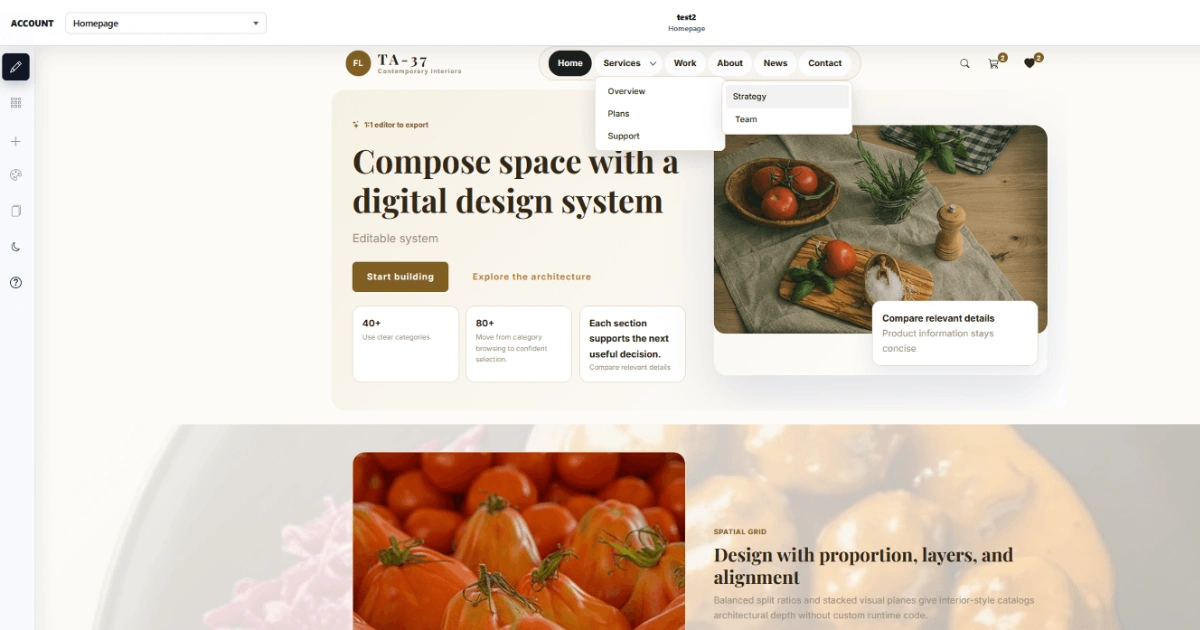
Creating a Joomla template traditionally means quite technical work. You need to understand HTML, CSS, Bootstrap, Joomla positions, modules, components and also handle responsive behavior. If the final template is to work as a real part of Joomla, it is not enough to just create a nice homepage.
That is exactly why we were interested during our testing of Linelabox that it does not try to be another universal page builder. Its goal is to allow designing a real Joomla template visually and then export it as an installation package for Joomla including modules (for example slideshows and similar).
1. First Impression: Finally a Tool Focused on the Template
After opening Linelabox, it becomes clear very quickly which direction the whole tool is heading. It works with a structure of:
- Rows and columns
- Joomla positions and modules
- Visual editing of component areas of Joomla pages
We think this is one of the most important differences compared to classic visual editors.
During our work, we could imagine the whole website as a system: header, navigation, content area, modules, footer and individual types of Joomla pages. At the same time, the editor keeps the concept of Joomla positions and modules, so the result is not an isolated design, but a layout that makes sense in a real Joomla website.
Linelabox describes its own approach as a platform for Joomla template development, not just a content editor.
2. We Consider the Pages Feature to Be Great
When you hear visual editor, most similar tools imagine a classic page that the user puts together from blocks. But with Joomla, the problem is that the website is not made only of a few manually created pages.
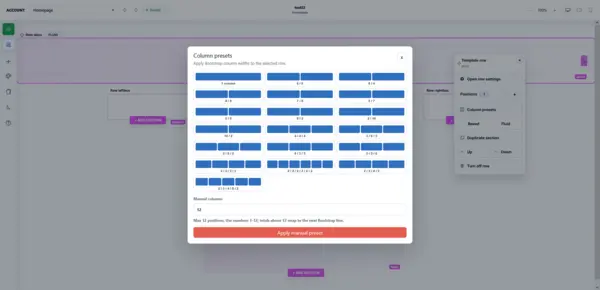
Joomla dynamically generates things like:
- Articles and categories
- Category blogs
- Search results
- Contacts and user forms
- Other system outputs
Linelabox allows you to handle these parts too. This means that you can design, for example, how an article detail, category blog or contact page should look. (Note: For a moment we did not know how to edit elements in pages. We had to be in editing mode and double click on the selected element to open the editing tools). So it is not just about creating a homepage, but about designing the look of the whole Joomla website.
This is exactly where we think Linelabox starts to make sense, especially for more experienced Joomla users and developers.
3. Responsiveness Is Not Left for the End
Another thing we observed during our work is responsive behavior.
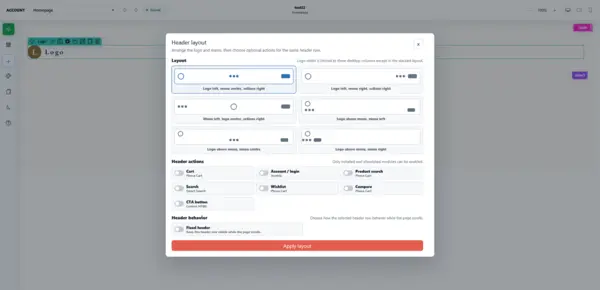
In classic template development, you often create a desktop version and then gradually solve the tablet and mobile versions using CSS @media queries. A visual editor transfers this process into the direct setting of individual elements.
Advantages of Responsiveness in Linelabox:
- Ability to work independently with previews for desktop, tablet and mobile.
- Setting the visibility of elements based on screen size.
- Quick visual check, we do not have to constantly switch between a code editor and a browser with every change.
4. Phoca Cart Is a Pleasant Surprise
If you use Joomla for ecommerce, the support for Phoca Cart is interesting.
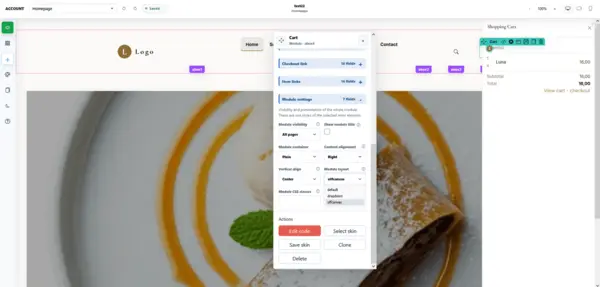
Linelabox currently works with previews and styling of pages for:
- Catalog and categories
- Product detail
- Cart and order
- User account
- Wishlist
This is important mainly because an online store template is not just a product card. In a real store, you need to handle dozens of different states and pages. Linelabox respects the Phoca Cart structure even in the Grid, Gridlist and List product views.
So if someone uses Joomla and Phoca Cart, they have much more interesting options here than when creating a simple presentation template.
5. What Caught Our Attention About the Export
One of the first things we would watch when testing a similar tool is the question: What do we actually get at the end?
With Linelabox, the answer is quite simple:
- The finished template can be exported as a ZIP installation package.
- You then install it the standard way in the Joomla administration.
There is no need to manually copy files via FTP and build the installation structure. The result is an independent portable Joomla template.
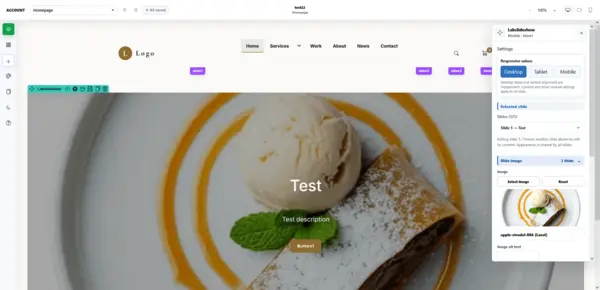
We think this is a major difference compared to services that force you to work only inside their own system. Here the goal is to create something that actually ends up directly in Joomla.
6. AI Is Not the Main Product
AI is practically a mandatory part of similar tools today, so we were curious mainly about how Linelabox uses it.
- How AI works: Artificial intelligence is supposed to work more like an architect. It designs the structure, layout, module positions, color system or typography and then works with elements that the editor knows.
- Why it is beneficial: Uncontrolled code generation can be fast, but for a Joomla template it can also create many problems. If the result is to be a template usable in the long term, it is important to have control over the result.
Therefore, Linelabox puts AI more in the role of an assistant rather than an automatic generator of the whole template. (Note: The AI layer itself is currently available to selected users and testers, we could not test this feature).
7. What We Would Appreciate as Joomla Developers
We see the biggest benefit of Linelabox in the fact that it tries to connect two things that are often separated: visual design and a real Joomla template.
| Tool | What it offers |
|---|---|
| Standard graphic tool | Creates a static design |
| Page builder | Allows creating a single page |
| Text editor | Allows writing code manually |
| Linelabox | Connects visual creation with the architecture of a complete Joomla template |
Linelabox tries to bring all these steps closer together, while keeping Joomla as the final platform.
8. Over 24 Ready Templates
For the first introduction, it is not necessary to start completely from scratch. Linelabox currently offers more than 24 prepared Joomla templates and designs that can be further modified.
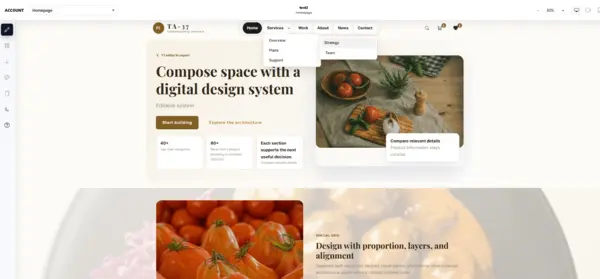
This is practical especially during the first testing. Instead of thinking long about the basic structure, you can take an existing design, open it in the editor and start changing its look, layout and individual parts. For templates intended for ecommerce, Phoca Cart is also supported.
9. Is It for Everyone?
We would be a bit careful here. If you are looking for a simple tool where you create one landing page in five minutes and you do not care what happens underneath, there are simpler solutions.
Linelabox goes in a different direction. Its purpose becomes interesting the moment you want to:
- Create your own Joomla template
- Work with Joomla positions and modules
- Handle multiple types of pages and their unified design
- Solve responsiveness
- Get a portable installation package
For a person who does not know Joomla at all, it might be necessary to understand a few basic terms at the beginning. On the other hand, exactly because of this, the editor matches the logic of Joomla and does not try to hide it completely.
10. And the Price?
Here Linelabox is quite interesting. Only the optional AI creation is supposed to be paid, otherwise everything is free.
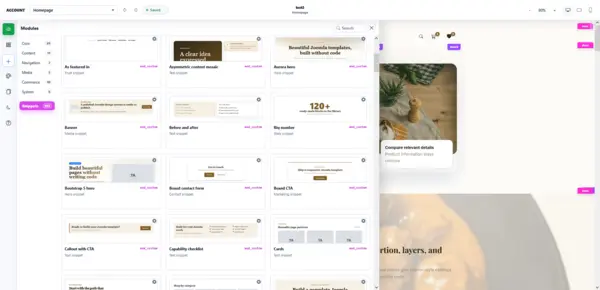
We consider this to be essential information, because the basic value of the tool is not built on a subscription. If you only want to visually create and export a Joomla template, the main working environment is available for free.
Conclusion
Our conclusion is that after testing and going through the individual parts of Linelabox, we would not put it in the same category as common page builders.
Its main idea is more specific: to create a Joomla template visually, but at the same time keep it as a real Joomla template.
So it is not just about making the page look good in the editor. The whole result is important:
- Joomla positions and modules
- Component pages
- Responsive behavior
- Phoca Cart support
- Installation ZIP package
Therefore, we see the biggest potential for people who actually use Joomla and want to create their own templates without having to solve every change manually in code. Linelabox does not try to replace Joomla, it tries to make the development of a Joomla template significantly more visual and faster.
For Joomla 5 and higher, it is a concept that is definitely worth trying.
More info: Linelabox