Hi,
Did you create a menu item with link to Phoca Gallery Component?
see:
https://www.phoca.cz/documents/2-phoca-g ... -menu-link
If you don`t want to show ihis menu item, you can hide it but you need it to get valid item ID´s
see:
https://www.phoca.cz/documents/50-phoca/ ... -component
If you created already a menu item (and hide it) check:
backend --> menus --> Your Menu with Link to Phoca Gallery Component --> Your Link to Phoca Gallery Component --> Menu Item: [ Edit ] --> Parameters (Component) --> Categories View Settings (List of Categories) -->
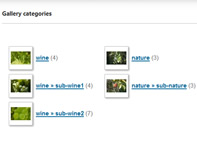
Number of Columns=(should look like in the screenshot below)

Save your settings!
Kind regards,
Benno