


Instalation failed:
Joomla\CMS\Filesystem\Folder::create: Byla zjištěna nekonečná smyčka
Pozor - Nelze přesunout soubor: /home/www/xxxdomena.cz/tmp/phpHERIZv to /cs-CZ.com_phocadownload-j25.zip
Joomla! 3.9.10
Phoca Download Version 3.1.3
Czech language dont work
-
Benno

- Phoca Hero

- Posts: 10296
- Joined: 04 Dec 2008, 11:58
- Location: Germany
- Contact:
Re: Czech language dont work
Hi,
yes, there seems to be a problem with the manifest files, so try to install the czech language files manually:
Unzip https://github.com/PhocaCz/PhocaDownloa ... ad-j25.zip local on your pc, then also unzip the admin_cs-CZ folder.
Inside this folder you will find two language files:
cs-CZ.com_phocadownload.ini
cs-CZ.com_phocadownload.sys.ini
Copy & paste this language files to your czech language folders via FTP:
/language/cs-CZ/
/administrator/language/cs-CZ/
Now your Phoca Download Front & Backend should be translated to czech. See image:
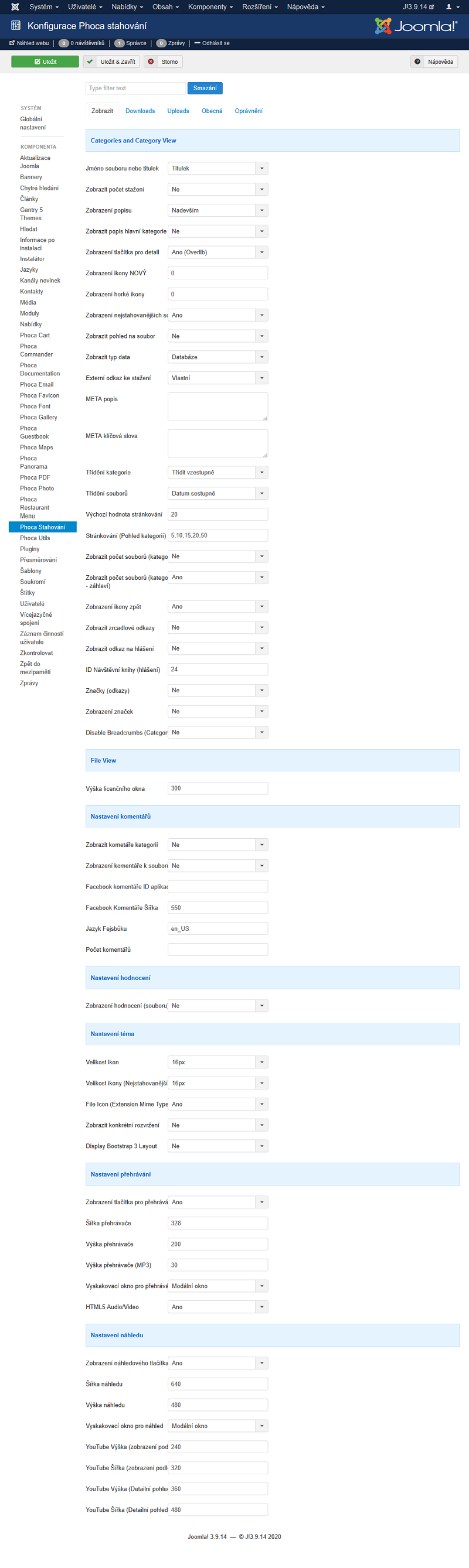
But unfortunately not all strings will be translated, because this translation is not up to date.
BTW:
Edit: I searched a little more and found this Czech translation, which is much more up-to-date.
Kind regards,
Benno
yes, there seems to be a problem with the manifest files, so try to install the czech language files manually:
Unzip https://github.com/PhocaCz/PhocaDownloa ... ad-j25.zip local on your pc, then also unzip the admin_cs-CZ folder.
Inside this folder you will find two language files:
cs-CZ.com_phocadownload.ini
cs-CZ.com_phocadownload.sys.ini
Copy & paste this language files to your czech language folders via FTP:
/language/cs-CZ/
/administrator/language/cs-CZ/
Now your Phoca Download Front & Backend should be translated to czech. See image:
But unfortunately not all strings will be translated, because this translation is not up to date.
BTW:
Current Joomla! version is v3.9.14 & current Phoca Download version is v3.1.9Joomla! 3.9.10
Phoca Download Version 3.1.3
Edit: I searched a little more and found this Czech translation, which is much more up-to-date.
Kind regards,
Benno