Installation
Download Phoca PDF Content plugin from the Phoca PDF download site. Login into your Joomla! administration site and follow these steps:
Extensions - Manage - Install:
- Upload Package File - select the Phoca PDF Content plugin ZIP file from your disc and click on Upload File & Install.
- Install from Folder - you can upload Phoca PDF Content plugin ZIP file into your server folder and install it from this folder
- Install from URL - you can install it from another URL.
After installation, don't forget to enable the plugin:
Extensions » Plugin Manager » Phoca PDF plugin » Enable Plugin.
Using Phoca PDF Content plugin
Go to Components » Phoca PDF » Plugins where you can see installed plugins for your Phoca PDF framework. Click on Phoca PDF Content Plugin. Now you can set the parameters for PDF documents created from Joomla! articles.
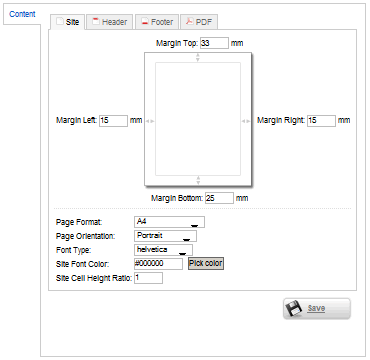

Header and Footer information
If you will use your own header or footer and you want to display the information which is displayed by standard PDF method in Joomla!, you need to use plugin code in header or footer text editor.
Header Plugin Code - Displaying title of an article:  phocapdftitle
Example:
This is header and title - phocapdftitle
Header Plugin Code - Displaying all information (Written by, Date, Last Update): phocapdfheader
Example:
This is header - phocapdfheader
Footer Plugin Code - Displaying pagination: phocapdfpagination
Example:
This is pagination - phocapdfpagination
and in example codes are changed to images because of executing the code. If you will copy the example code from this site, you need to add the and characters instead of images.