Phoca Gallery uses fixed background images which have not transparent background.
- Why fixed? You can create background image effect with help of four divs and CSS. But mostly on a site there are a lot of images and using a lot of divs will slow down loading the page. So Phoca Gallery uses one fixed background image.
- Why not transparent? Because site visitors still use non standard browsers which don't support opacity.
So there can come two problems with Phoca Gallery:
- You want to change thumbnail size but after changing it, background images have still the same size
- You want to use other than white background on your site but background images have white background color.
Since 2.6.0 version this is not problem anymore.
Case study 1 - Using other than white background color on your site
Let's say you will install Phoca Gallery on your site. You will add images and you will create new menu link to Phoca Gallery. But because you are using not white background color, your site will look like this screenshot:

Go to Phoca Gallery Administration - Themes. Here you can change the background image for small and medium thumbnails. Just change the colors (width and height of the image are taken from parameters).
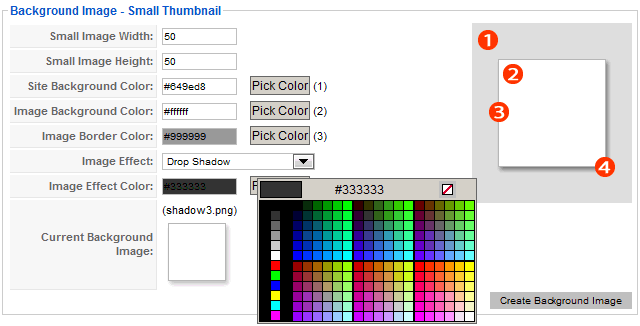
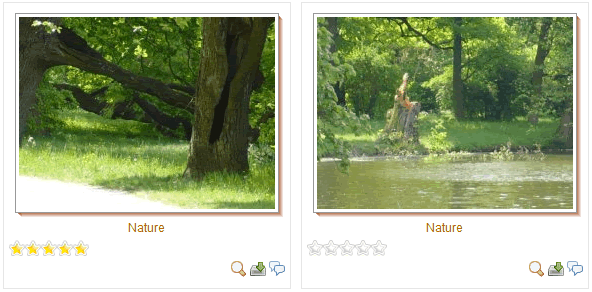
After saving modifications (Create Background Image) the background image will be changed and you can see the outcome in frontend:

Case study 1 - Changing thumbnail size
Let's say you will change thumbnail size in parameters and you will recreate thumbnails. After these modifications your site will look like this:
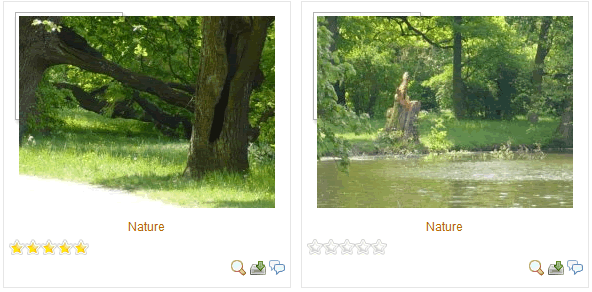
Go to Phoca Gallery Administration - Themes. Here you can change the background image for small and medium thumbnails. Just change the colors (width and height of the image are taken from parameters so you need not to care about size). After saving modifications (Create Background Image) the background image will be changed and you can see the outcome in frontend:
If you don't want to support obsolete browsers you can leave the Site Background Color field empty. If you are using PNG icons in Phoca Gallery then the background will be transparent and you need not to care about site background color anymore.
You can style background, background of image, border, glow and shadow. You can change the size of background image too, see examples: