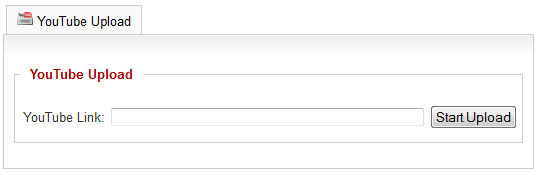
YouTube API key
Go to Joomla! administration - Components - Phoca Gallery - Images - [New | Edit] button. Now you are in Phoca Gallery [New | Edit]. There are different ways how to paste YouTube video:
1) Paste the whole YouTube code into Video Code (YouTube) parameter. This allows customizing the output.
<object width="425" height="355">
	<param name="movie"
value="https://www.youtube.com/v/ha5gaCdulak&
hl=en&rel=0&color1=0x006699&color2=0x54abd6"></param>
	<param name="wmode" value="transparent"></param>
	<embed src="https://www.youtube.com/v/ha5gaCdulak&
hl=en&rel=0&color1=0x006699&color2=0x54abd6"
type="application/x-shockwave-flash" wmode="transparent"
width="425" height="355"></embed>
</object>
It is recommended to use new methods like iframe to embed a video:
<iframe type="text/html" width="700" height="500"
src="https://www.youtube.com/embed/ha5gaCdulak?autoplay=1&origin=https://www.phoca.cz/"
frameborder="0"
</iframe>
For more detailed information, see YouTube Embedded Players and Player Parameters guide.
2) Or paste URL to the YouTube video in long version: https://www.youtube.com/watch?v=ha5gaCdulak
3) Or paste URL to the YouTube video in short version: https://youtu.be/ha5gaCdulak
4) Or click on YouTube button and import all information from YouTube: Title, Description, Thumbnail. Paste it to the image edit and save.

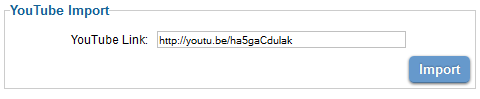
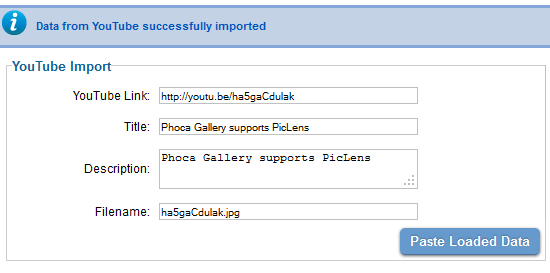
This way title, description, YouTube link and filename will be imported. If you don't want to import data from YouTube, don't forget to add an image into a Filename input form field. Thumbnails cannot be created from Youtube video, so you have to add an image to create a medium thumbnail which will be displayed in the thumbnail image list view (in category view).
Uploading (Adding) YouTube videos in frontend
YouTube videos can be added in Phoca Gallery frontend:
- in UCP
- in Category View
Just enable possibility of frontend adding of YouTube videos in Phoca Gallery Options.