- Setting theme in Options
- Setting Layouts (Layout for Categories, Category and File View can be set in administration)
- Setting own custom CSS ( components/com_phocadownload/assets/custom.css )
- Overriding component output by template (with help of MVC pattern)
Setting Theme In Options
See Options for more information. You can set file icon size, button style or prepared CSS, etc. in Options.
Setting Layouts
Setting Custom CSS
Overriding component output by template
There are two default themes in Phoca Download:
- Grey
- Blue
Themes can be set in Parameters.
Grey Theme includes background images to display boxes with shadows in Sections View and a table design for displaying files in Category View.
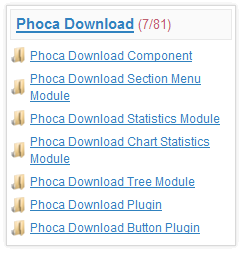
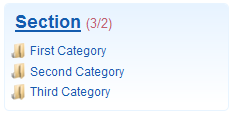
Blue Theme includes blue-white background images to display boxes in Sections View. Borders are rounded with "border radius" CSS rule (it works in common used browsers except IE, it means in Firefox, Chrome, Opera, Seamonkey, Safari, ...). This theme includes tableless design for displaying files in Category View (which can be easily modifed than table design).
Both themes can get standard buttons or buttons with rounded corners. This can be set in Parameters.

If you want to customize design of your Phoca Download site, you need to modify above mentioned themes. Let us say, you will modify the Blue Theme because of tableless design. You need to modify the following files:
- components/com_phocadownload/assets/phocadownload-blue.css
- components/com_phocadownload/views/sections/tmpl/default.php (Sections View template)
- components/com_phocadownload/views/section/tmpl/default.php (Section View template - list of categories)
- components/com_phocadownload/views/category/tmpl/default_blue.php (Category View template - list of files for Blue Theme)
- components/com_phocadownload/views/file/tmpl/default.php (File View template - detail of the file and download button)
- components/com_phocadownload/assets/images/blue/ folder - there are saved all background images for the Blue Theme
In phocadownload-blue.css file you can modify positions, colors, used background images, etc. Background images are stored in blue folder so they can be overwritten with your own. Mostly changing only the CSS file and images in blue folder is sufficient for creating your own design. Templates for specific views need not to be modified.
After doing the customization, don't forget to set the following Parameters:
File Icon Size - e.g. to 64px
File Icon Size (Most Downloaded Files) - e.g. to 16px
Button style - default or rounded corners
Theme - Blue
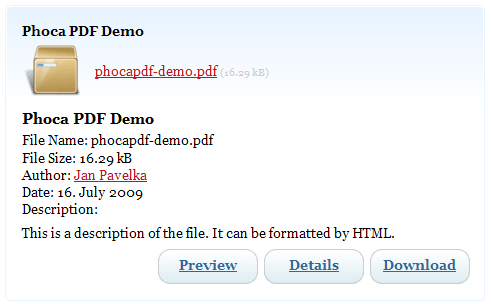
See demo of Grey Theme and demo site of Blue Theme.