

Hi,
I'm just in the process of setting up a store and have a problem with the thumbnail image in the categories being cropped.
Is there a way to show the complete image in the thumbnail
see https://masonicpens.eu/index.php front page for examples.
Thanks in advance, it sure looks like a good system
Regards
Nick
Thumbnail Image
-
Benno

- Phoca Hero

- Posts: 10296
- Joined: 04 Dec 2008, 11:58
- Location: Germany
- Contact:
Re: Thumbnail Image
Hi,
Check whether you have specified in the Phoca Cart Options that the thumbnails should be cropped:
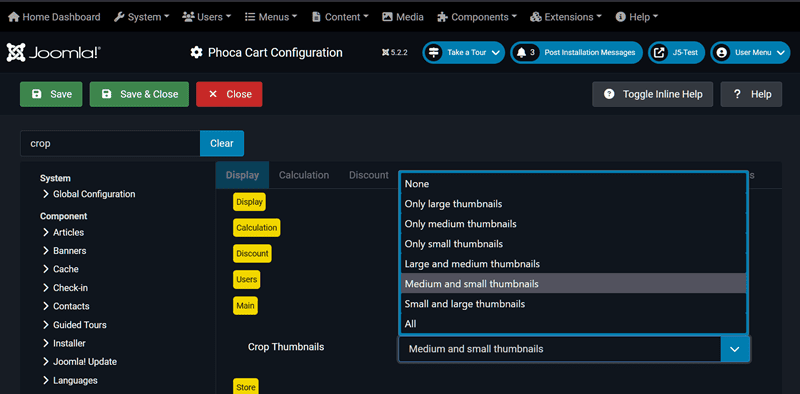
If this was set, change the value to e.g. 'None' and create the thumbnails again.
Kind regards,
Benno
Check whether you have specified in the Phoca Cart Options that the thumbnails should be cropped:
If this was set, change the value to e.g. 'None' and create the thumbnails again.
Kind regards,
Benno
-
Pens
- Phoca Member

- Posts: 37
- Joined: 02 Dec 2024, 17:48
Re: Thumbnail Image
Thank you, that worked.
Is there any way to remove or reduce the padding around the image?
Regards
Nick
Is there any way to remove or reduce the padding around the image?
Regards
Nick
-
christine

- Phoca Hero
- Posts: 3031
- Joined: 28 Nov 2010, 17:20
Re: Thumbnail Image
Hi Nick,
1) See: Creating the user.css File:
https://www.phoca.cz/documentation/86-j ... g-user-css
2) Insert in created File:
3) After save/close Clear the Cache. It can sometimes take a while for it to work.
Kind regards
Christine
1) See: Creating the user.css File:
https://www.phoca.cz/documentation/86-j ... g-user-css
2) Insert in created File:
Code: Select all
.img-thumbnail {
border: none;
}Kind regards
Christine
-
Pens
- Phoca Member
- Posts: 37
- Joined: 02 Dec 2024, 17:48
Re: Thumbnail Image
Thanks, that doesn't have seemed to work, unless I've not cleared the cache properly.
-
christine
- Phoca Hero
- Posts: 3031
- Joined: 28 Nov 2010, 17:20
Re: Thumbnail Image
Hi Nick,
Looks OK, because with the (stored) code I no longer see any border.
Kind regards
Christine
Looks OK, because with the (stored) code I no longer see any border.
Kind regards
Christine
-
Pens
- Phoca Member
- Posts: 37
- Joined: 02 Dec 2024, 17:48
-
Benno
- Phoca Hero
- Posts: 10296
- Joined: 04 Dec 2008, 11:58
- Location: Germany
- Contact:
Re: Thumbnail Image
Hi,
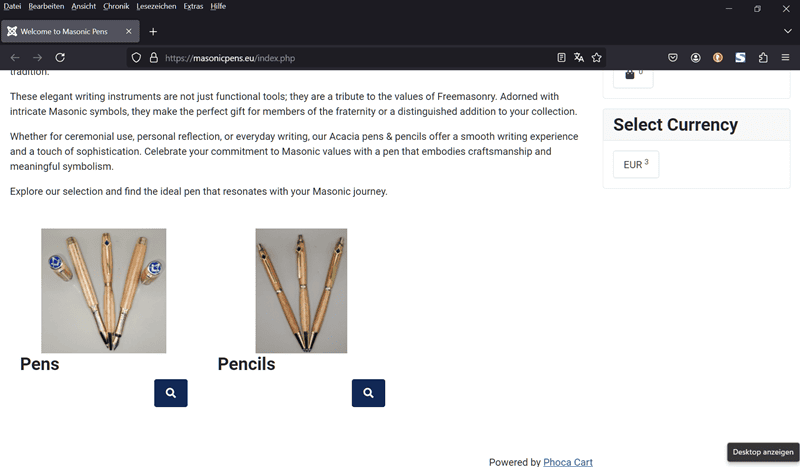
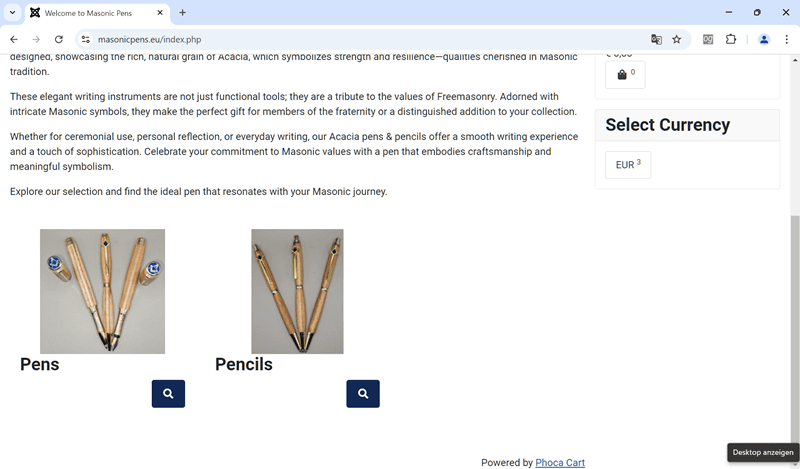
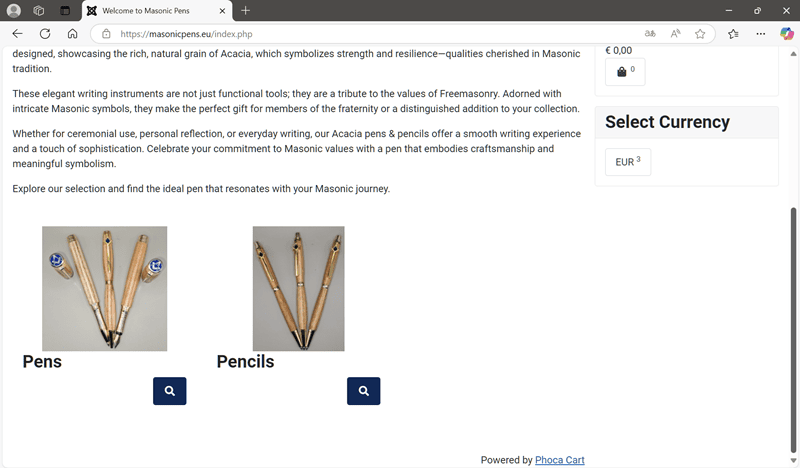
I have tested the category view of your site with three different browsers and also cannot see any borders, margins or paddings around your product images.
Firefox:
Chrome:
Edge:
Kind regards,
Benno
I have tested the category view of your site with three different browsers and also cannot see any borders, margins or paddings around your product images.
Firefox:
Chrome:
Edge:
Kind regards,
Benno
-
Pens
- Phoca Member
- Posts: 37
- Joined: 02 Dec 2024, 17:48
Re: Thumbnail Image
Thanks, I must have got the cache clearing right in the end
but now the text is overwriting the image on the products page
https://masonicpens.eu/index.php/1-masonic-pens
Any ideas.
but now the text is overwriting the image on the products page
https://masonicpens.eu/index.php/1-masonic-pens
Any ideas.
-
christine
- Phoca Hero
- Posts: 3031
- Joined: 28 Nov 2010, 17:20
Re: Thumbnail Image
Hi Nick,
Below codes temporarily produce the following result:

Kind regards
Christine
Below codes temporarily produce the following result:
Code: Select all
/*avoid overwriting image */
.phIBoxOH {
display: inline-grid;
text-align: center;
}
/*h4 centered */
h4.ph-product-header.grid {
text-align: center;
}
/* box images centered */
.jf_ph_cat_item_grid.ph-category-action-box-icons.grid {
text-align: center;
}Christine