Page 1 of 1
Resizing detail view popup & image
Posted: 28 Sep 2010, 01:09
by aznbladez
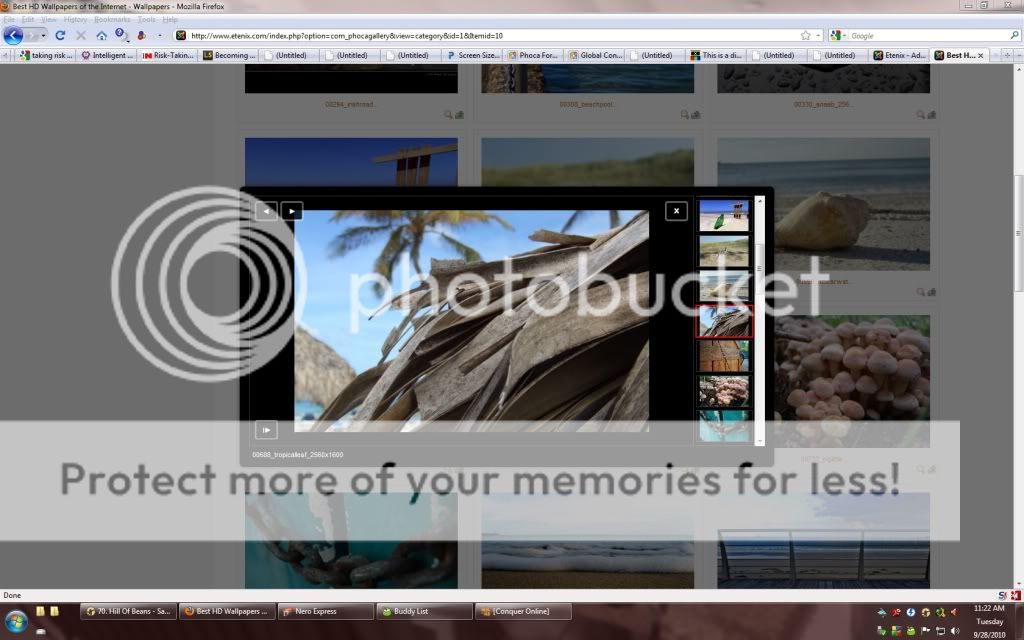
been trying to do this for hours and searched the forum for 30 minutes already i cant find the answer please help.
i am using the jak lightbox
Will i need to change the size of both the jak lightbox popup and the image used in the popup ?
Re: Resizing detail view popup & image
Posted: 28 Sep 2010, 16:19
by reko
hi,
to change the image size, go to global configuration and adjust the corresponding parameters (large thumbnail is the one). Please see the documentation for more info on this.
Also, it's important that you recreate all thumbnails after changing the settings, otherwise thy have no effect on existing images!
regards,
rk
Re: Resizing detail view popup & image
Posted: 28 Sep 2010, 20:23
by aznbladez
I am trying to get the image in the middle to be bigger to 1024x576
Re: Resizing detail view popup & image
Posted: 02 Oct 2010, 12:30
by Jan
Hi, then you need to change the size of the detail image (thumbnail) and if you are using JAK method, I think the javascript and css of JAK needs to be modified
https://www.phoca.cz/documents/2-phoca-g ... w-resizing
Jan