Page 2 of 3
Re: Joomla 3.2 and PG 4.1.0 categories
Posted: 18 Jan 2014, 21:27
by Jan
Hi, Ok, thank you for the info.
Jan
Re: Joomla 3.2 and PG 4.1.0 categories
Posted: 27 Jan 2014, 17:05
by AIPNZ
Hello i have some problem with mosaic effect.
I use template Design Control and my result with Phoca Gallery is not good (see attach).
Please help me. Where i must find key for correction of this trouble.

Re: Joomla 3.2 and PG 4.1.0 categories
Posted: 27 Jan 2014, 23:55
by Jan
Hi, I see no attachment.

Jan
Re: Joomla 3.2 and PG 4.1.0 categories
Posted: 05 Feb 2014, 13:08
by AIPNZ
Sorry your forum blocked me.
My image
here or
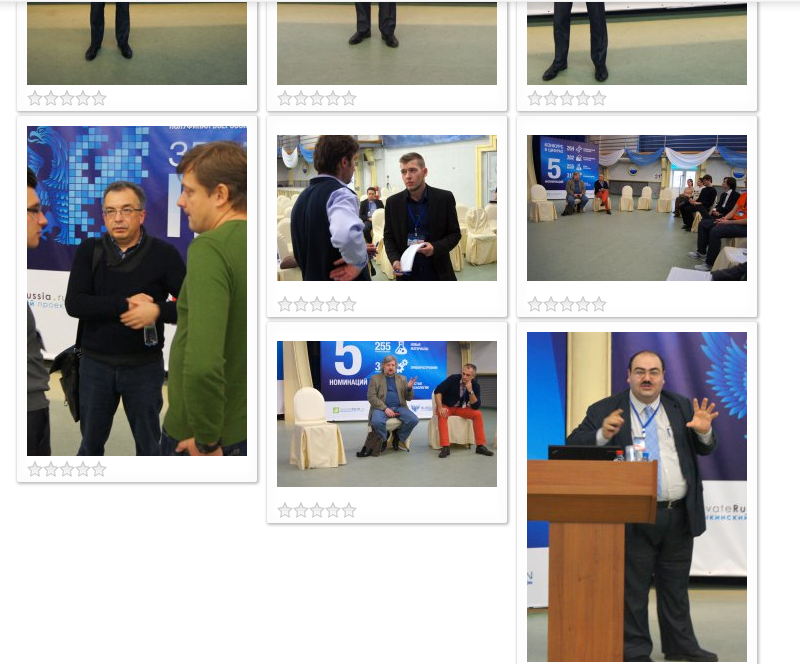
Please help to fined decision.
Re: Joomla 3.2 and PG 4.1.0 categories
Posted: 05 Feb 2014, 18:45
by Jan
Hi, what exactly is the problem, I don't see any on the image?
EDIT - I see, on the second one, the masonry effect ist not active - try to test if you don't get any javascript error on the site? and if the masonry is set in Options.
https://www.phoca.cz/documents/16-joomla ... -conflicts
Jan
Re: Joomla 3.2 and PG 4.1.0 categories
Posted: 06 Feb 2014, 10:07
by AIPNZ
I think it demostrated much better:
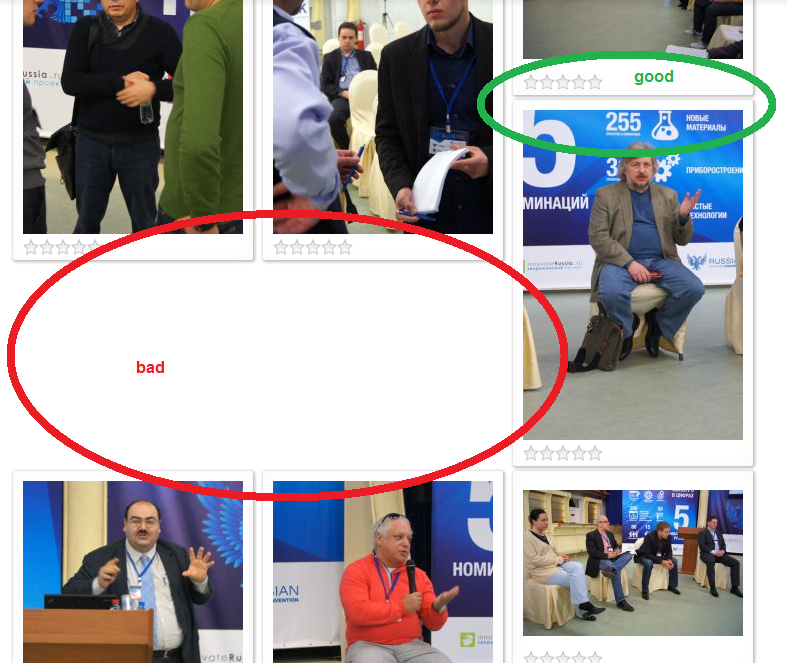
Debugger show this
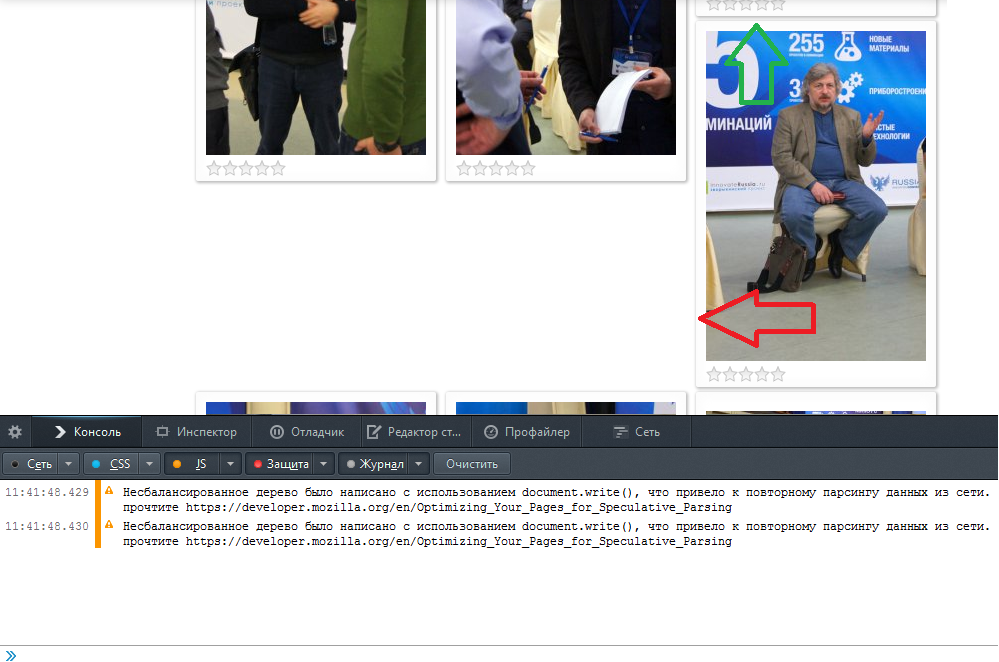
Unbalanced tree was written using document.write (), which led to the parsing of data from the network. For more information, read
https://developer.mozilla.org/en/Optimi ... ve_Parsing
and for css many small bugs of type:
1) Unknown property «box-sizing». Lost ad.
2) Announcement expected but found "*". Skipped to next declaration.
3) Unknown property «-moz-border-radius». Lost ad.
and for «-moz-box-shadow», «speak», «-moz-border-radius», «-moz-outline-style» etc.
4) Error while parsing the value «background». Lost ad.
Re: Joomla 3.2 and PG 4.1.0 categories
Posted: 08 Feb 2014, 00:55
by Jan
Hi, 1 - 4 seems this is not a problem, as the parser just don't accept specific codes for different browsers.
From the JS screenshot, there seems to be no other conflict than the one mentioned but if such problem can prevent from successfully running of masonry, really no idea. If you try to disable all possible modules on that site (for testing purposes) and you will switch to other template (for testing purposes), do you get such problem?
Jan
Re: Joomla 3.2 and PG 4.1.0 categories
Posted: 08 Feb 2014, 08:50
by AIPNZ
Yes Jan. This trouble only on template Design Control. PG work normally with default templates.
Re: Joomla 3.2 and PG 4.1.0 categories
Posted: 09 Feb 2014, 01:26
by Jan
Hmm, so the problem needs to be found somewhere in the template (to check what can be in conflict with the gallery
) - if some javascript or other part
Jan
Re: Joomla 3.2 and PG 4.1.0 categories
Posted: 10 Feb 2014, 15:57
by AIPNZ
I am not specialist, but i find this file s5_flex_menu.js
Can you research part of script which not compatible with PG (attached file files.mail.ru/54B870652D6A40EB8A29DA5A8F1EDCE2)?
If I delete it then mosaic is work, but not drop-down menu.
I think conflict is here.
Code: Select all
	MenuMatic=window.MenuMatic=function (options){
		this.options= {
			id: 's5_nav',//the id of the main menu (ul or ol)
			subMenusContainerId:'subMenusContainer',//id of the container div that will be generated to hold the submenus
			tabletWidth:800,
			//subMenu behavior
			effect: 'slide & fade',// 'slide', 'fade', 'slide & fade', or  null
			duration: 600,//duration of the effect in milliseconds
			physics: 'easeOutQuad',//how the effect behaves
			hideDelay: 1000,//in milliseconds, how long you have after moving your mouse off of the submenus before they dissapear
			displayDelay: 0,//in milliseconds, how long you have after moving your mouse on the submenus before they appear

			//layout
			stretchMainMenu:false,//stretch main menu btn widths to fit within the width {set in the css} of the parent UL or OL
			matchWidthMode:false,//initial submenus match their parent button's width
			orientation: 'horizontal',//horizontal or vertical
			direction:{	x: 'right',	y: 'down'},//for submenus ( relative to the parent button )left or right, up or down
			olddirection: {x:'right',y:'down'},
			tweakInitial:{ x:0, y:0	},//if you need to tweak the placement of the initial submenus
			tweakSubsequent:{ x:0, y:0 },//if you need to tweak the placement of the subsequent submenus
			center: false,// will attempt to center main nav element

			//dynamic style
			opacity: 95,//of the submenus
			mmbFocusedClassName:null,//main menu button classname, used for morphing to focused state
			mmbClassName:null,//main menu button classname, used for morphing back to original state
			killDivider:null,

			fixHasLayoutBug:false,

			onHideAllSubMenusNow_begin: (function(){}),
			onHideAllSubMenusNow_complete: (function(){}),

			onInit_begin: (function(){}),
			onInit_complete: (function(){})
		},
		this.hideAllMenusTimeout=null,
		this.S5DisplayMenusTimeout=null,
		this.allSubMenus=[],
		this.subMenuZindex=1;
		this.initialize(options);
		this.stretch();
		this.killDivider();
		this.center();
		this.fixHasLayoutBug();
	}
Please help me to find compromise
in this block bad script is
Code: Select all
this.subMenuZindex=1;
		this.initialize(options);
		this.stretch();
		this.killDivider();
		this.center();
		this.fixHasLayoutBug();
PG work without it.