Page 1 of 2
Images mis-alignment
Posted: 13 Jan 2010, 23:45
by Gleedo
Hello, firstly thanks for a really nice mod. We are very impressed with it and the level of configuration available.
Im hoping you can help. I have created a category to show our clans member pictures, but have two issues:
1) Category Display - the category thumbnail images are not displaying correctly. They are
too high:
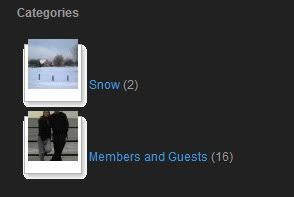
2) When you click on an
image from one of the
categories, the
image text/description is obscurred by the navigation buttons:
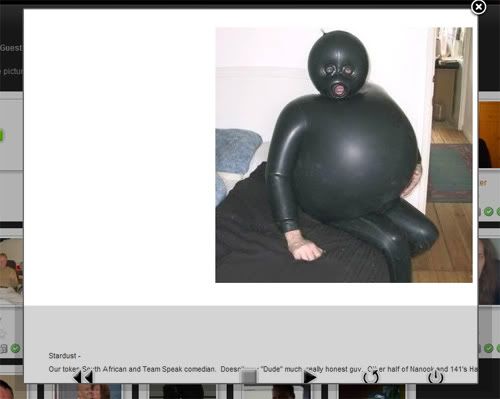
LOL I love that picture he he....
Here is my site - The Gallery menu has a dropdown with the
categories and the members category if you want to see:
http://www.taskforce141st.com/newsite/i ... Itemid=182
Any help appreciated

Re: Images mis-alignment
Posted: 14 Jan 2010, 03:21
by atek
Re: Images mis-alignment
Posted: 14 Jan 2010, 09:59
by Gleedo
Ooooh, I wonder if it's a template issue as we are both using dominion

Re: Images mis-alignment
Posted: 14 Jan 2010, 13:58
by Ronny
Gleedo wrote:Ooooh, I wonder if it's a template issue as we are both using dominion
This was my first thought,
too... Just try to use some of the default templates which come with Joomla - if the issue is disappeared it's due to the template you use...
Regards,
Ronny
Re: Images mis-alignment
Posted: 14 Jan 2010, 15:06
by Gleedo
Thanks Ronny , I will give it a try when I get home and post back later on
Re: Images mis-alignment
Posted: 14 Jan 2010, 18:59
by atek
I hope there is a solution for this problem
Re: Images mis-alignment
Posted: 14 Jan 2010, 20:22
by Gleedo
These problems are not there when running the rhuk_milkyway template. The images in the
categories and
image galleries when clicked are displaying dead center of the panels.
I will contact the peeps at rockettheme about the issues on the dominion template. Sorry for posting here. I will post a solution though once I find it.
Thanks

Re: Images mis-alignment
Posted: 14 Jan 2010, 20:40
by Gleedo
Actualy I havent yet posted in the RT forums, but I did tweak the settings of phoca in my Joomla backend....
Goto the Phoca Gallery Control Panel and click
Parameters
Scroll down to
Detail View Settings
Change it's property value from
Standard Popup Window to something else like
Shadowbox
It's much nicer and renders in a cool flashy way - give it a try
Others things I can't seem to get working though is stuff like rating the images.....im a tad lost

Re: Images mis-alignment
Posted: 18 Jan 2010, 18:15
by Jan
Hi, rating can be done only in ifram detail methods:
- standard popup
- Highslide JS
- Modal Box
Jan
Re: Images mis-alignment
Posted: 18 Jan 2010, 18:51
by atek
Jan wrote:Hi, rating can be done only in ifram detail methods:
- standard popup
- Highslide JS
- Modal Box
Jan
is there any better solution to make all methods work ?